Unlocking Secrets: The Latest Vivo FRP Bypass Methods for 2025 Revealed!

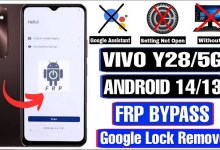
Vivo latest security frp bypass 2025 | vivo frp bypass android 15
Vivo FRP Bypass: A Complete Guide for 2025
Introduction
Hello friends, Jai Hind! How are you doing? My name is Rahul, and in today’s video, we’re going to discuss something crucial regarding the Vivo smartphone and its FRP (Factory Reset Protection) bypass in 2025. If you’ve tried to reset your Vivo phone and encountered the FRP lock, you’re not alone. Today, we’ll explore how to handle this situation effectively.
Understanding FRP Lock
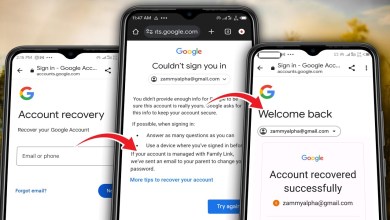
First, let’s understand what FRP lock is. Factory Reset Protection is a security feature introduced by Google. It’s designed to ensure that even if a thief attempts to factory reset a locked device, they won’t be able to access it unless they log in with the Google account that was previously associated with it.
This feature can be incredibly frustrating if you forget your login details or if you accidentally lock yourself out of your own device.
The Current Scenario in 2025
As of 2025, the Vivo brand has implemented several security upgrades. Unfortunately, traditional FRP bypass methods aren’t working anymore. If you’re looking at your screen and see the lock symbol, like what is shown in this video, you’re dealing with a significant obstacle.
Current Attempts
Many users have attempted to bypass the lock using older methods, such as:
- TalkBack Feature: Activating TalkBack to access hidden options.
- Voice Assistants: Using various voice commands to work around the security features.
However, these methods have proven ineffective. The error message “Voice Assistant Not Available” frequently appears, leaving users with limited options.
Step-by-Step Guide to Bypass FRP
If you’re still looking for a workaround, here’s a comprehensive guide on how to bypass FRP on a Vivo device as of 2025.
Step 1: Activate TalkBack
To begin, first activate the TalkBack feature. This can generally be done through the Accessibility menu. It’s crucial to have this feature enabled so that you can navigate through the device settings.
Step 2: Connect to Wi-Fi
Next, ensure that your device is connected to a Wi-Fi network. This connection is essential to proceed with the bypass.

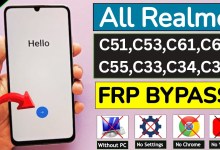

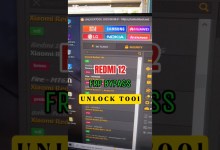




- Navigate to Settings > Network & Internet.
- Select Wi-Fi and choose your network from the list.
Step 3: Access Add Network Option
Once connected to Wi-Fi, head back to the Wi-Fi settings. Look for the option that says Add Network.
Step 4: Long Press and Select Options
When you reach the Add Network screen, you’ll notice a small icon at the bottom. Here’s where you need to perform a long press. This action will provide you with various tools, including the TalkBack Braille Keyboard.
- Locate the second option of the Braille keyboard. Select it, and then click
Step 5: Adjust Video Quality
At this point, ensure you’ve adjusted the video quality settings to either 720p or 1080p for better visibility. This makes it easier to follow the steps as you move forward.
Step 6: Blink and Swipe
As you navigate through the screens, you’ll notice a blinking icon. Pay close attention to it, as you’ll need it to swipe in a particular direction.
- Use two or three fingers to swipe based on the blinking notifications.
- This might take some practice, so don’t rush it.
Issues You May Encounter
You may still face challenges even if you follow these steps closely. As technologies evolve, Vivo devices may receive updates that reinforce their security features. Therefore, keep these potential setbacks in mind:
- Non-responsive Touch: Sometimes, the touch response may not be optimal. Therefore, patience is vital.
- Error Messages: You might continue seeing error messages. Always double-check your previous steps for accuracy.
- Software Updates: Make sure your device is running the latest software updates, as these can sometimes fix existing issues.
Conclusion
Bypassing FRP on a Vivo device in 2025 can be intricate due to the enhanced security protocols. However, by following the steps outlined in this guide, you can navigate through the process. Remember to stay updated with the latest techniques, as manufacturers continually evolve their security systems.
If you found this video helpful, don’t forget to like, subscribe, and share! Your support is invaluable.
If you have any questions or need further assistance, feel free to drop a comment below. I’m Rahul, and I appreciate you joining me today. Jai Hind!
#Vivo #latest #security #frp #bypass #vivo #frp #bypass